Brand HQ
Your brand, kept in order
One workspace for the website you own. No code, no hosting screens, and nothing technical to learn.
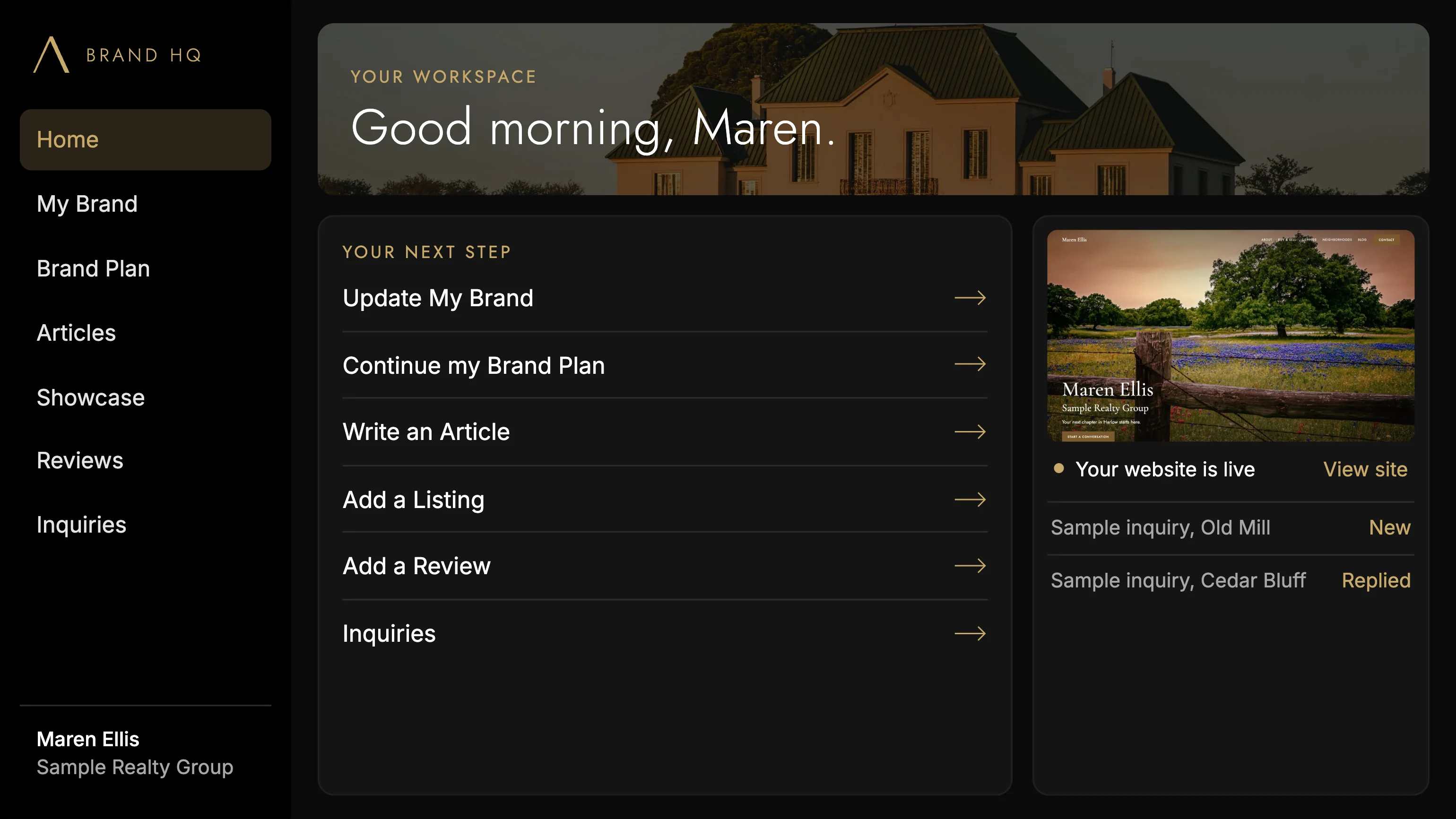
Design concept Brand HQ’s final design isn’t set. This view shows the direction, using a fictional sample agent.
Working in our build
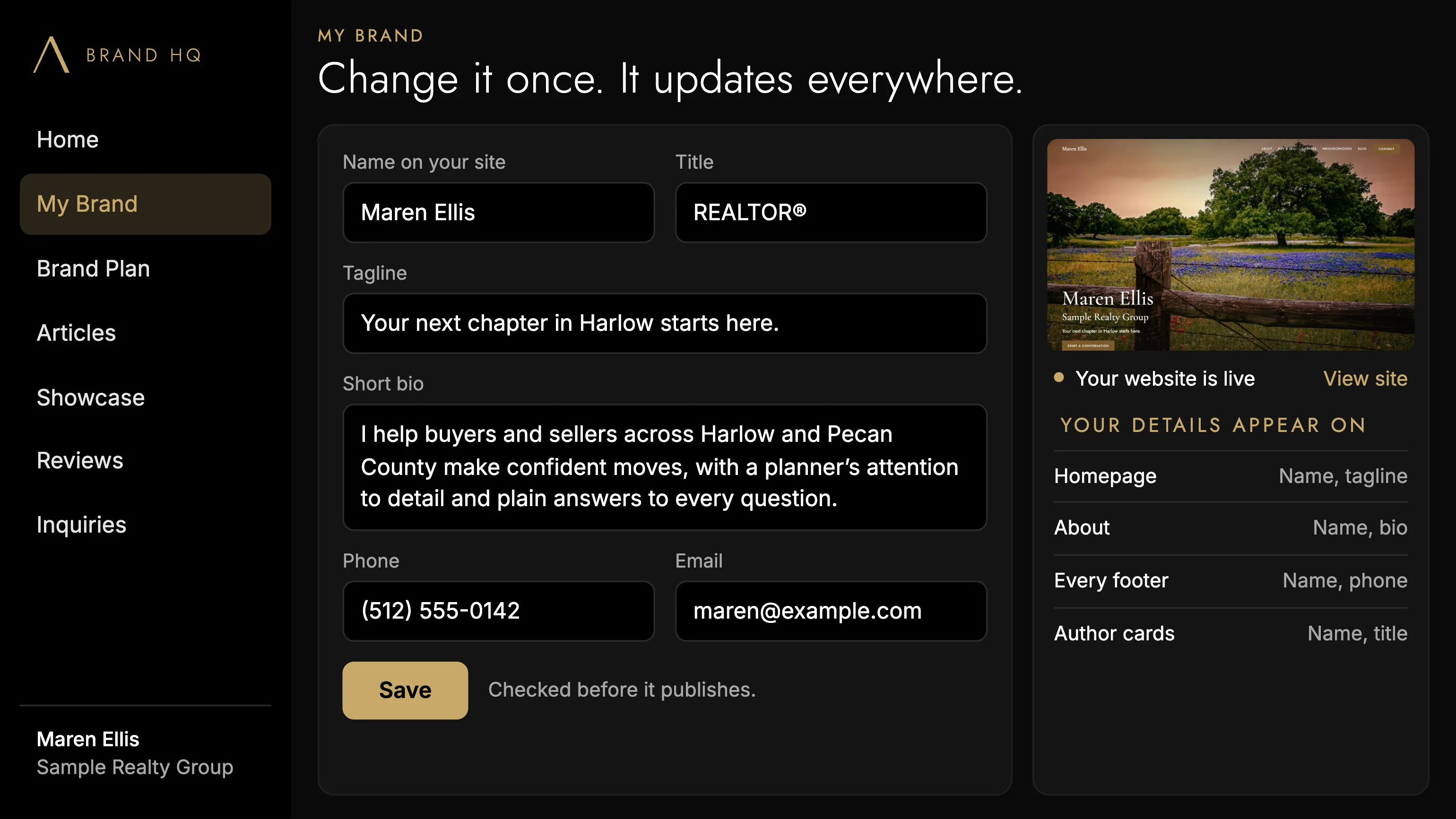
Change it once. It updates everywhere.
Your phone number shouldn’t live in twelve places. In Brand HQ you change a detail once and save. Every change is checked first, and your required brokerage disclosures stay out of reach so they can’t be broken by accident.
Where it stands
What works, and what’s coming.
Brand HQ isn’t generally available yet. We’d rather show you exactly where it stands.
- My Brand
- Your name, title, bio, contact details and service areas in one place. Change them once and your site updates.
- Working in our build
- Connect and disconnect
- Link Brand HQ to your website with a permission you can remove.
- Working in our build
- Articles
- Write and publish from ready-made templates.
- In development
- Showcase
- Add listings and turn them into sold stories.
- In development
- Reviews
- Keep your testimonials up to date.
- In development
- Inquiries
- One inbox for every form on your site.
- In development
- Monthly Snapshot
- Your visitors, top pages and inquiries at a glance.
- In development
- Brand Plan
- A week-by-week plan you can edit, starting with your first 30 days.
- Planned
Planned: protected website editing
Small changes to your site, with your design protected.
We’re planning a way to make safe edits to your website directly from Brand HQ: your bio, photos, contact details, service areas and approved text.
Not available yet. This is the plan, not a current feature. We’ll say so here when it’s real.
Select
Tap the part of your site you want to change.
Change
Update the words or photo in a simple editor.
Preview
See exactly how it will look.
Publish
Approve it when you're happy.
Revert
Return to an earlier version if you need to.

See yours before you spend anything.
Brand HQ supports your website. The website comes first, and you can see yours at no cost.
Request my preview